Docs · Get started
API keys & costs
Which provider to use, where the key is kept, which models do what, and what a run costs.
Sift does most of its work on your Mac. Two jobs use a language model: labeling moments in an event’s sampled frames and transcript, and learning a style profile from a channel’s videos. Those calls go from your Mac to your provider, under your key. You pay the provider directly.
Choose a provider
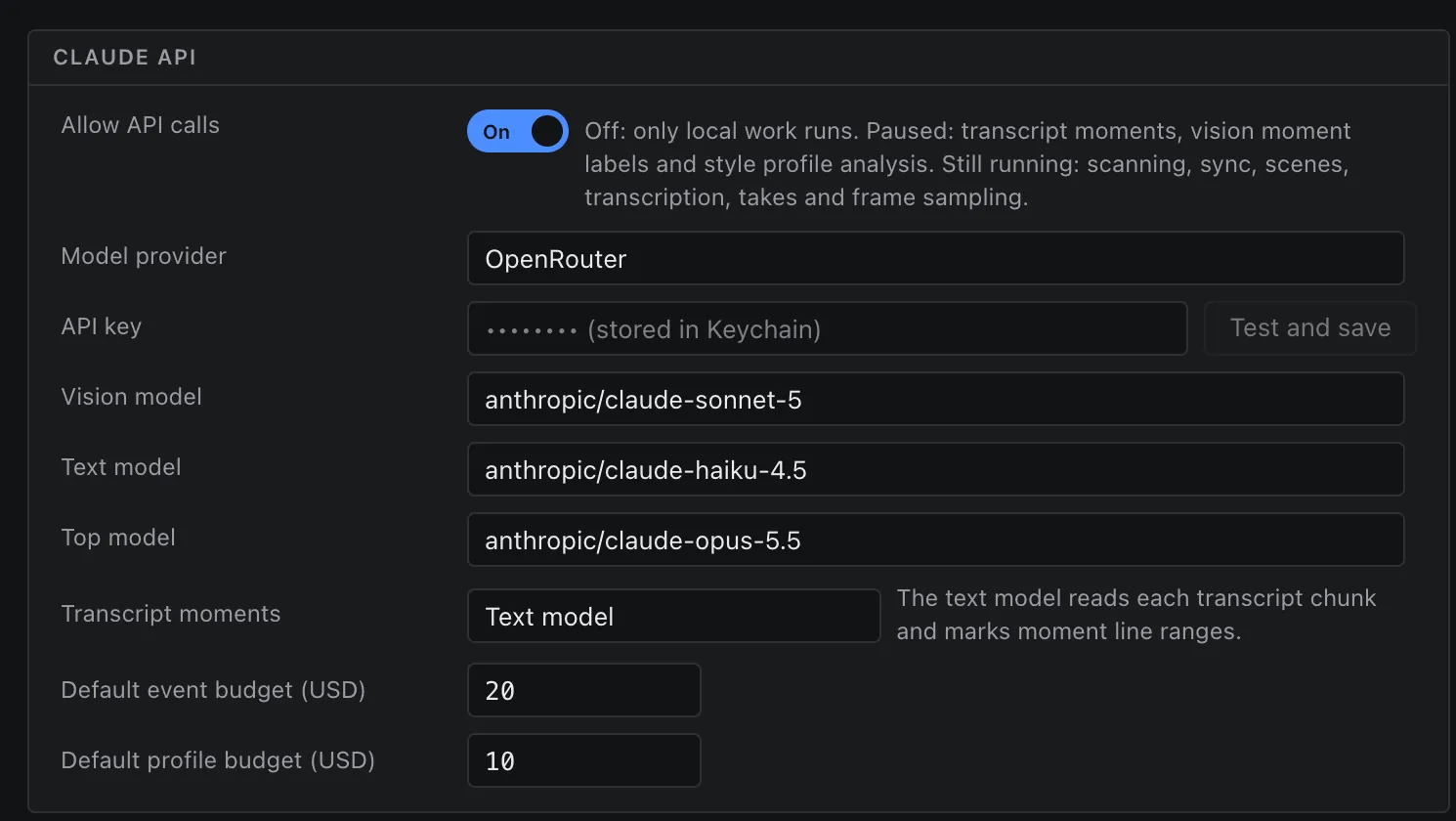
Sift works with Anthropic (the default) or OpenRouter. Pick one in Settings → Claude API → Model provider.
- Anthropic: make a key at console.anthropic.com.
- OpenRouter: make a key at openrouter.ai/keys. Sift asks OpenRouter’s providers not to keep your data (
data_collection: deny). With OpenRouter, Sift uses the cost OpenRouter reports for each call.
Where the key lives
Paste the key in setup or in Settings → API key, then press Test and save. Sift stores it in the macOS Keychain (service app.sift), one entry per provider. It is never written to Sift’s settings, database, logs or diagnostics. Settings shows it masked: “(stored in Keychain)”.
If you prefer environment variables, Sift also reads ANTHROPIC_API_KEY or OPENROUTER_API_KEY when no Keychain entry exists.
Which model does what
Settings has three model slots. You can change any of them.
| Slot | Default | Used for |
|---|---|---|
| Vision model | Claude Sonnet 5 | Labeling sampled frames of your event; labeling one frame per shot of a profile’s videos |
| Text model | Claude Haiku 4.5 | Reading transcript chunks and marking the lines that belong to a moment |
| Top model | Claude Opus 5.5 | Writing a profile’s style notes; reading shot-list PDFs |
Budget caps
Every event and every profile has a cap in US dollars. The defaults are $20 per event and $10 per profile, set in Settings. You can change the cap for each run.
- Before a run, Sift shows an estimate in the form “N frames to label · ≈ X tokens · $A of $B cap”.
- During a run, the spend badge shows “$spent of $cap”. It turns amber at 80% and red at the cap.
- At the cap, labeling stops. The frames and lines left unlabeled go to Review as Budget cap reached. Press Raise budget and resume on the Run page to continue.
What it costs
Real totals from our runs with the default models:
| Job | Size | Spent |
|---|---|---|
| Wedding, full run | 436 files, about 11 GB, 7 devices | $5.68 – $7.73 |
| Style profile | 18 videos, about 7 hours | $7.34 |
| Style profile | one 1 h 36 min episode | $2.60 (estimate $2.73) |
| Style profile | 3 Shorts | $0.11 |
Most of an event’s cost is vision labels on sampled frames (4,447 frames for the wedding above). Longer footage means more frames. Provider prices change, and re-running a stage after a fix spends again, so treat these as a guide and check your provider’s dashboard for the exact figure.
Work without the API
Switch Allow API calls off in Settings to keep everything on your Mac. Scanning, sync, scene detection, transcription, takes and frame sampling still run. Transcript moments, vision labels and style profile analysis pause until you turn it back on.